
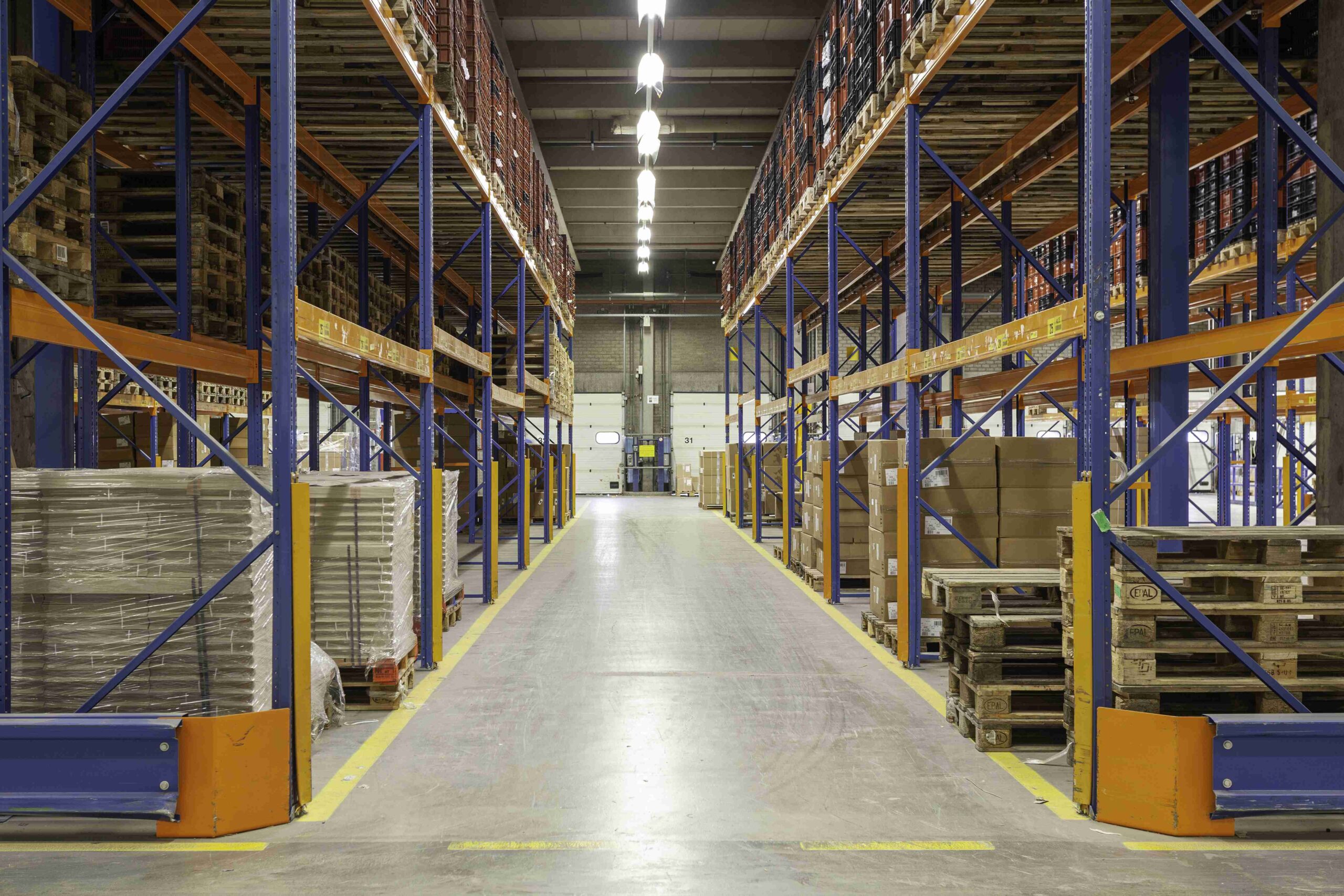
A warehouse management system (WMS) is software that directs and records everything that happens inside a warehouse, from receiving and put-away
to picking, packing and dispatch. Every movement is scanned against a location, so the WMS knows what stock you have, exactly where it is, and how
fast it is moving. That is the foundation of accurate, fast fulfilment.
The difference between a warehouse on spreadsheets and one on a WMS shows up in three numbers: inventory accuracy, pick accuracy and order cycle time.
This guide covers what a WMS does, how it compares with other systems, and how to benefit from one without buying it yourself.
Key WMS Features
| Feature | What it does | Operational benefit |
|---|---|---|
| Receiving | Scans inbound goods against purchase orders | Short or wrong deliveries caught at the dock |
| Location management | Assigns and tracks every bin, rack and bay | No lost stock; faster put-away |
| Inventory tracking | Real-time stock by SKU, batch and expiry | Accurate availability for sales channels |
| Picking logic | Optimised pick routes; FIFO or FEFO rules | Faster picking; older or expiring stock leaves first |
| Packing and dispatch | Verifies items, prints labels, records hand-off | Fewer wrong shipments |
| Cycle counting | Schedules rolling stock counts | Accuracy without shutdowns |
| Reporting | KPIs, stock ageing, productivity | Decisions based on data |
| Integration | Connects to ERP, marketplaces and couriers | Stock syncs across channels automatically |
A WMS only stays accurate if the physical stock is checked regularly. See our guide on stock take vs cycle count for count frequencies and accuracy targets.
How a WMS Works: One Order, Step by Step
- Goods arrive. The receiver scans the purchase order and each carton; the WMS flags any short or extra quantity.
- Put-away. The WMS suggests a location based on product size and how fast it sells; the operator scans the shelf to confirm.
- Order received. An order from a marketplace or ERP drops into the WMS automatically.
- Wave and route. Orders are grouped and the picker gets the shortest route through the aisles.
- Pick and verify. Each item is scanned; a wrong item or quantity is blocked on the spot.
- Pack and label. The WMS prints the shipping label and records the package weight.
- Dispatch. The hand-off to the courier or lorry is scanned, and stock and order status update in every connected channel.
Barcodes vs RFID
| Barcode scanning | RFID | |
|---|---|---|
| Cost | Low; labels are cheap | Higher; tags and readers |
| How it reads | Line of sight, one item at a time | Radio; many items at once |
| Best for | Most SME and 3PL operations | High-volume, high-value or pallet-level tracking |
Most warehouses get the bulk of the accuracy gains from disciplined barcode scanning. RFID is an upgrade for specific use cases, not a starting point.
Cloud vs On-Premise WMS
Cloud WMS platforms are subscription-based, quicker to deploy and easier to integrate with marketplaces, which suits most growing businesses.
On-premise systems give more customisation and control but need IT resources and a larger upfront investment.
Common WMS Implementation Pitfalls
- Loading inaccurate product data (dimensions, units of measure, barcodes)
- Skipping location labelling, so the system and the shelves never match
- Allowing staff to bypass scanning “just this once”
- No owner for exceptions such as damaged, missing or mislabelled stock
- Integrations tested only with ideal orders, not real edge cases
Benefits of a WMS
- Inventory accuracy: scan-based records match physical stock.
- Faster fulfilment: optimised pick paths and fewer searches.
- Fewer errors: scanning replaces memory and paper.
- Better space use: slotting puts fast movers near dispatch.
- Visibility: stock and order status available in real time.
- Traceability: batch and expiry tracking for food, cosmetics and pharmaceuticals.
WMS vs ERP vs Inventory Spreadsheet
| Spreadsheet | ERP inventory module | WMS | |
|---|---|---|---|
| Tracks stock quantity | Manually | Yes | Yes |
| Tracks exact location (bin) | Rarely | Limited | Yes |
| Directs picking and put-away | No | Limited | Yes |
| Barcode or scan-based | No | Sometimes | Yes |
| Real-time accuracy | Low | Medium | High |
| Best for | Very small stock | Business-wide planning | Warehouse execution |
Signs Your Warehouse Needs a WMS
- Stock shown as available is not on the shelf
- Staff spend time searching for items
- Picking errors and customer complaints are rising
- You sell on several channels and oversell
- Annual stock takes reveal large differences
Buy a WMS or Use a 3PL That Has One?
Buying a WMS means software licences, implementation, scanners, training and the people to run it, which is justified for large in-house operations.
For many SMEs, using a 3PL that already runs a WMS delivers the same accuracy and visibility without the investment. Compare the options in our guide on
choosing a 3PL warehouse partner, and see the KPIs a WMS makes measurable in our warehouse operations best practices.
How De Hubs Uses a WMS for Clients
At the De Hubs warehouse in Klang and our East Malaysia facilities, stock is tracked in a real-time warehouse management system,
giving clients stock reports and visibility across storage, order fulfilment and e-commerce channels.
Frequently Asked Questions
What is a WMS?
A WMS (warehouse management system) is software that controls warehouse operations: receiving, put-away, stock locations, picking, packing and dispatch. It records every movement by scan, giving real-time stock accuracy and data on warehouse performance.
What is the difference between a WMS and an ERP?
An ERP manages the business: finance, purchasing, sales and overall stock quantities. A WMS manages what happens inside the warehouse: exact bin locations, picking routes and task-level movements. Most growing businesses use both, connected by integration.
Do small businesses need a WMS?
Once you have more than a few hundred SKUs, multiple sales channels or frequent picking errors, spreadsheets stop working. Using a 3PL that already runs a WMS gives you the benefits without buying software.
How does a WMS improve inventory accuracy?
Every receipt, move and pick is scanned against a location, so the system records stock where it physically is. Cycle counts then catch and correct any differences continuously instead of once a year.